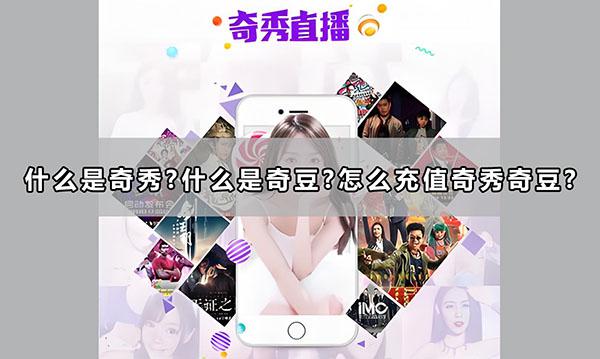
About QiXiu
QiXiu Live streaming is a live streaming software released by iQiyi under the live streaming brand on July 8, 2016. “QiXiu Live streaming "will excavate high-quality anchors from ordinary users, and every ordinary user who starts broadcasting has the opportunity to be selected. High quality new anchors will sign contracts with talent agencies, receive professional training, and become star anchors or contracted artists.
- Product TypeOfficial Recharge
- Scope of ApplicationQiXiu
- official websitehttps://x.pps.tv/
- Universal currencyQi Dou
QiXiuQi Dou Introduction
Qi Dou It is a virtual currency launched by iQiyi, similar to QQ Coin, mainly used for Top-Up Member、 buy QiXiu Live props, literary novels or comics, etc. Qi Dou The exchange rate between Chinese yuan and Chinese yuan is 1 yuan, which equals 100 yuan Qi Dou, And only RMB can be used Top-Up Qi Dou, But it cannot be exchanged for RMB in reverse. in QiXiu During the live broadcast, users can access it through Top-Up Qi Dou To purchase virtual gifts or other services.
Top-Up QiXiuWhat information is required?
QiXiuQi Dou Top-Up Service for official website Login to proxy storage, you only need to provide your QiXiu Just register your phone number, and the platform will complete it for you online based on the information you provide Qi Dou Top-Up Service, able to deliver within seconds of payment.
QiXiu Top-Up process:
1. Open the QiXiu Top-Up Link:https://www.idouchong.com/en/landing_zhibo/qixiu/ Click on the 'To Purchase' button;
2. Choose to Top-Up of Qi Dou After determining the face value and quantity, click the 'Buy Now' button;
3. Fill in to Top-Up of QiXiu Register your phone number and select the payment method, then click the submit order button;
4. Complete payment;
5. After payment is completed,Contact customer service to complete it for you Top-Up.
Payment method:
1.The recommended platform supports receiving payments in multiple currencies;
2.Support PayPal accounts, various credit cards, and local payment methods for payment.
Website statement:
Please confirm multiple times whether your stored value account and related information are correct.If your stored value account is entered incorrectly but successfully stored, the system will not refund you.
How to receive goods after payment:
1.After the order is completed, please log in to the APP to check the status.Please pay attention to the status before storing the value for easy checking of the payment status;
If you have any questions or uncertainties during the ordering process, please feel free to contact the platform's 24/7 online customer service, who will be dedicated to serving you;
3.For customers who make payments through PayPal and credit cards, if your initial order amount is too large or there is a sudden change in your order behavior, in order to ensure the security of your account, the platform will conduct security verification on your order.We apologize for any inconvenience caused.