About Uki
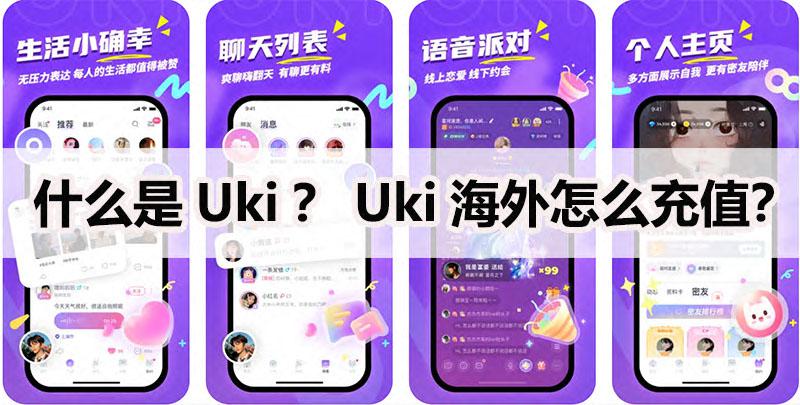
Uki It is a 'very normal' social interaction where young people make friends, fall in love, and spend time with each other App, Mainly targeting post-95s and Z For generations of young people, this software provides an online platform that allows users to interact with others through various means such as text, images, and voice, thereby expanding their social circle and making new friends. Spend tens of seconds perfecting the data of social needs, where people can match more suitable friends, confidants, or hearts CP.
- Product TypeOfficial Recharge
- Scope of ApplicationUki
- official websitehttps://chenlongtech.cn/
- Universal currencyDiamonds/Star Diamonds
What is Uki Diamonds? What is Uki Star Diamonds?
Uki in Diamonds Star Diamonds It is a virtual currency primarily used for user interaction and gift giving.
What information is required?
Uki Top-Up Service for official website Direct storage, you only need to provide your Uki Account or phone number is sufficient, and the platform will complete it for you online based on the information you provide Uki Top-Up Service, able to deliver within seconds of payment.
Uki Top-Up process:
1. Open the Uki Top-Up Link:https://www.idouchong.com/en/landing_zhibo/uki/ Click on the 'To Purchase' button;
2. Choose to Top-Up of Diamonds or Star Diamonds After determining the face value and quantity, click the 'Buy Now' button;
3. Fill in to Top-Up of Uki After selecting the account or phone number, choose the payment method and click the submit order button;
4. Complete payment;
5. After the payment is completed, customer service will complete it for you based on the account you provided Top-Up.
Payment method:
1. The recommended platform supports receiving payments in multiple currencies;
2. Support PayPal accounts, various credit cards, and local payment methods for payment.
Website statement:
Please confirm multiple times whether your stored value account and related information are correct. If your stored value account is entered incorrectly but successfully stored, the system will not refund you.
How to receive goods after payment:
1. After the order is completed, please log in to the APP to check the status. Please pay attention to the status before storing the value for easy checking of the payment status;
If you have any questions or uncertainties during the ordering process, please feel free to contact the platform's 24/7 online customer service, who will be dedicated to serving you;
3. For customers who make payments through PayPal and credit cards, if your initial order amount is too large or there is a sudden change in your order behavior, in order to ensure the security of your account, the platform will conduct security verification on your order. We apologize for any inconvenience caused.