
First-time users looking to top up Telegram almost always trip over the same stone——they can't tell whether they should buy Stars or Premium, and end up spending money without unlocking the features they wanted. Worse still, some chase cheap "third-party top-ups" from shady sources, hand over their account verification code, and lose more than they gain. This guide fills in all those holes in one pass.
Ask Yourself First: Do You Want Stars or Premium?
This is the starting point of every Telegram top-up decision, and the two cannot substitute for each other.
Scenarios for choosing Stars: You want to tip your favorite channel host, unlock paid posts, buy services inside a bot, pay an AI chat bot, send a friend a virtual gift, or subscribe to a creator's private channel. Stars are Telegram's official in-app virtual currency launched in 2024, used to purchase digital goods and services from bots and Mini Apps within the Telegram ecosystem, or to send gifts to creators.
Scenarios for choosing Premium: You're fed up with ads in public channels, need to upload files larger than 2GB, want 4GB file uploads, faster download speeds, voice-message-to-text, exclusive stickers and reactions, animated avatars, and the Premium app icon. Premium is an optional subscription service that unlocks account-level advanced features.
A simple rule: Want to "spend" → buy Stars; want to "upgrade" → get Premium. Want both? That's the standard loadout for a heavy Telegram user——keep a Premium subscription and top up Stars every month.
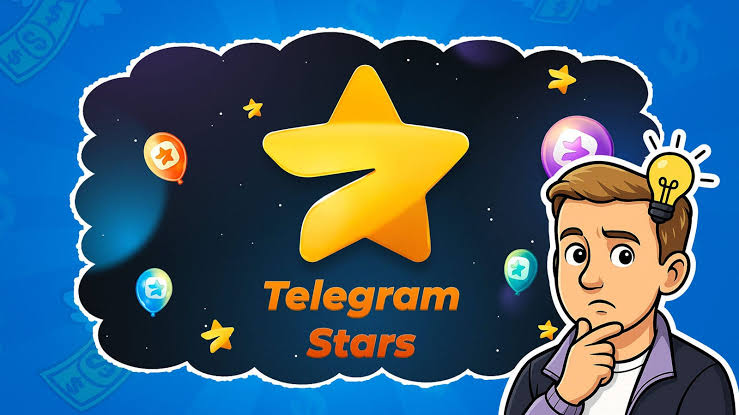
Stars Reference Price 2026
The USD pricing for in-app Telegram Stars packages is roughly as follows:
• 50 Stars ≈ 0.99 (about 0.020 per star)
• 150 Stars ≈ $2.99
• 500 Stars ≈ $9.99
• 1,000 Stars ≈ $19.99
• 2,500 Stars ≈ $49.99 (stable unit price, more volume for your money)
As you can see, the larger the package, the more stable the cost per star, while small packs are proportionally worse value. If your goal is long-term spending inside Telegram, jumping straight to the 1,000 or 2,500 denomination is the smarter move.
Two Ways to Open Premium
Telegram Premium subscription pricing varies by region, usually a few to a dozen-plus dollars per month. But the payment channel you pick directly decides how much you actually pay:
App Store / Google Play in-app purchase: Most convenient, but includes the up-to-30% channel cut from Apple or Google, making it the most expensive of the three channels.
Direct subscription via @PremiumBot: Complete the subscription inside Telegram through @PremiumBot. Because it's the direct version, it bypasses Apple and Google's fees, so the price is clearly lower than the app-store in-app purchase. This is the official-recommended "money-saving posture".
One important reminder: when subscribing via @PremiumBot, the first-period price is determined by the country code of the phone number on your Telegram account; subsequent renewals are calculated in the currency of the country your payment method belongs to. This is why the same Premium shows different prices to different people.
Three Common Top-Up Traps
Trap 1: Buying Stars thinking they are Premium
Stars are a spending currency and cannot unlock Premium features. If what you need is 4GB uploads and no ads, topping up however many Stars won't help.
Trap 2: Leaking your verification code to save a few bucks
A legitimate top-up only needs your @username. Anyone asking for login verification codes, passwords, or two-step verification codes is a scammer. Once Telegram Stars are sold they are non-refundable, and if your account is lost, the balance goes to zero with it.
Trap 3: Regional restrictions cause card-binding failures
Users in some countries and regions may hit card-binding failures or regional unavailability when buying directly from the App Store or Google Play. At that point, forcing the in-app purchase just wastes time.
A Smarter Choice: 94LIVES One-Stop Top-Up
Facing the pitfalls above, 94LIVES offers a smoother path. As a top-up platform focused on the Telegram ecosystem, 94LIVES's advantages are:
• Covers both Stars and Premium: One platform solves both needs, no more bouncing between @PremiumBot and various third-party top-ups
• Local currency payment: Supports local currency settlement, no foreign-currency credit card needed, dodging the card-binding failure pain point
• Only your @username: No password or verification code requested, account control stays in your hands
• Fast delivery: Stars usually arrive within minutes after payment, Premium subscription activates shortly after
• Friendly pricing: Clear advantage over app-store in-app purchases, even better value on large packages
Whether you're a cross-border e-commerce seller in Southeast Asia, a developer in Russia, a content consumer in the Middle East, or a community operator in Latin America, 94LIVES's localized payment experience spares you the "bind card → fail → switch card → fail again" loop. A truly smart top-up makes the payment itself disappear from your attention.
First-Time Telegram Top-Up Action Checklist
If you've read this far and still aren't sure, just follow this order and you won't go wrong:
1. Clarify the purpose: Spending → Stars; upgrading → Premium; both → Premium first, then top up Stars
2. Estimate usage: Light users start at 500 Stars, heavy users go straight to 1,000 or 2,500
3. Pick a channel: Have a foreign-currency card and sit in a low-price region → @PremiumBot; otherwise → 94LIVES
4. Protect the account: Only give out your @username, never say the verification code even under pressure
5. Watch the balance: Check your Stars balance anytime under Telegram "Settings → My Stars"
Telegram's ecosystem is expanding at a staggering pace, and the earlier you equip both Stars and Premium, the earlier you enjoy a frictionless social experience. Topping up itself shouldn't be a threshold——pick the right platform, and what's left is just enjoyment.
One easily overlooked detail: Telegram Premium takes effect per account, and each account needs its own subscription. If you run multiple Telegram accounts, don't expect one Premium to cover the whole family. Managing top-ups for multiple accounts through a platform like 94LIVES is actually more convenient than switching accounts inside the App Store.






- 2026-07-28
- Where is the best way to spend Telegram Stars?
Click to viewWhen many users first open Telegrams Settings My Stars, they pause for a second: where exactly should Telegram Stars be spent so they dont go to waste? Unlike Premium, which directly upgrades your account, Stars are a virtual consumption cu...
- 2026-07-28
- Is Telegram Premium worth buying?
Click to viewPaying a few dollars a month for Telegram Premiumis it worth it? In 2026 this question has a new answer: three years ago when Premium first launched its features were still fairly meh, but today, after iterations like voice-to-text, cross-l...
- 2026-07-28
- Avoidance guide for first-time Telegram recharge
Click to viewFirst-time users looking to top up Telegram almost always trip over the same stone they cant tell whether they should buy Stars or Premium , and end up spending money without unlocking the features they wanted. Worse still, some chase cheap...
- 2026-07-28
- How to buy Telegram Stars without losing money?
Click to viewIn the Telegram ecosystem, Telegram Stars and Telegram Premium are two completely different systems, yet new users often confuse them. Simply put: Stars are money, Premium is a ticket the former is used for in-app consumption, while the lat...
- 2026-07-27
- How do I recharge Telegram Stars and Premium?
Click to viewHow to top up Telegram Messenger? This is the most common question new users ask when first encountering Telegram Stars and Telegram Premium. Telegram Messenger itself is a global instant messaging application; users utilize various service...