Product Overview
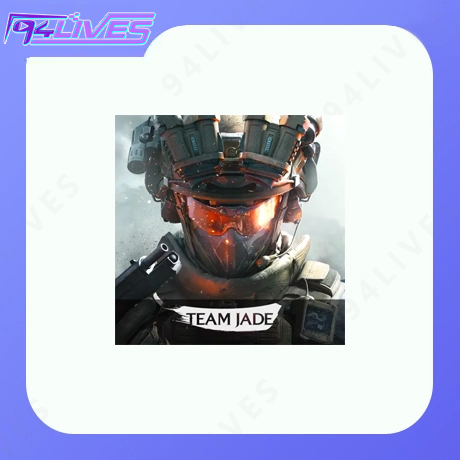
Product:Delta Force
Category:Game
Supported servers:Global / South America / Garena Taiwan / Malaysia / Singapore / Thailand / Indonesia
Top-up method:Player ID direct top-up(no login, no password, processed automatically)
Delivery time:Usually within 1 minute after payment is confirmed
94LIVES Delta Force Delta Coin Price List(USD)
Global Server
| Delta Coin Amount |
Price(USD) |
| 300 + 20 Delta Coins |
4.03 USD |
| 420 + 40 Delta Coins |
5.73 USD |
| 680 + 70 Delta Coins |
7.90 USD |
| 1,280 + 200 Delta Coins |
15.70 USD |
| 1,680 + 300 Delta Coins |
19.67 USD |
| 3,280 + 670 Delta Coins |
39.29 USD |
| 6,480 + 1,620 Delta Coins |
78.31 USD |
| 12,960 + 3,240 Delta Coins |
156.62 USD |
South America Server
| Delta Coin Amount |
Price(USD) |
| 60 + 6 Delta Coins |
1.63 USD |
| 300 + 52 Delta Coins |
6.00 USD |
| 420 + 87 Delta Coins |
8.25 USD |
| 680 + 146 Delta Coins |
11.53 USD |
| 1,280 + 348 Delta Coins |
23.43 USD |
| 1,680 + 498 Delta Coins |
29.29 USD |
| 3,280 + 1,066 Delta Coins |
58.02 USD |
| 6,480 + 2,430 Delta Coins |
115.89 USD |
Garena Taiwan Server
| Delta Coin Amount |
Price(USD) |
| 200 + 6 Delta Coins |
3.43 USD |
| 500 + 63 Delta Coins |
8.58 USD |
| 1,000 + 187 Delta Coins |
17.17 USD |
| 2,000 + 469 Delta Coins |
34.33 USD |
Malaysia Server
| Delta Coin Amount |
Price(USD) |
| 300 + 36 Delta Coins |
4.90 USD |
| 420 + 62 Delta Coins |
7.20 USD |
| 680 + 105 Delta Coins |
9.94 USD |
| 1,280 + 264 Delta Coins |
20.52 USD |
| 1,680 + 385 Delta Coins |
25.51 USD |
| 3,280 + 834 Delta Coins |
51.27 USD |
| 6,480 + 1,944 Delta Coins |
102.56 USD |
| 12,960 + 3,888 Delta Coins |
202.90 USD |
| 19,440 + 5,832 Delta Coins |
304.34 USD |
Singapore Server
| Delta Coin Amount |
Price(USD) |
| 300 + 30 Delta Coins |
4.87 USD |
| 420 + 54 Delta Coins |
6.90 USD |
| 680 + 92 Delta Coins |
9.91 USD |
| 1,280 + 239 Delta Coins |
19.68 USD |
| 1,680 + 352 Delta Coins |
24.64 USD |
| 3,280 + 769 Delta Coins |
49.60 USD |
| 6,480 + 1,815 Delta Coins |
98.45 USD |
Thailand Server
| Delta Coin Amount |
Price(USD) |
| 300 + 36 Delta Coins |
5.43 USD |
| 420 + 62 Delta Coins |
7.66 USD |
| 680 + 105 Delta Coins |
10.52 USD |
| 1,280 + 264 Delta Coins |
21.50 USD |
| 1,680 + 385 Delta Coins |
26.96 USD |
| 3,280 + 834 Delta Coins |
53.90 USD |
| 6,480 + 1,944 Delta Coins |
107.48 USD |
| 12,960 + 3,888 Delta Coins |
211.98 USD |
| 19,440 + 5,832 Delta Coins |
317.98 USD |
Indonesia Server
| Delta Coin Amount |
Price(USD) |
| 300 + 36 Delta Coins |
4.50 USD |
| 420 + 62 Delta Coins |
6.19 USD |
| 680 + 105 Delta Coins |
8.68 USD |
| 1,280 + 264 Delta Coins |
17.33 USD |
| 1,680 + 385 Delta Coins |
21.67 USD |
| 3,280 + 834 Delta Coins |
43.30 USD |
| 6,480 + 1,944 Delta Coins |
86.60 USD |
| 12,960 + 3,888 Delta Coins |
171.32 USD |
| 19,440 + 5,832 Delta Coins |
256.97 USD |
Why prices differ by server:Delta Force uses regional pricing. 94LIVES settles in USD and includes exchange rate, payment gateway and processing cost. A 300+ bundle on Global, Garena, Malaysia, Singapore, Thailand or Indonesia is not the same SKU — pick the server your account was created on, not the cheapest row.
How to Find Your Delta Force Player ID
Delta Coin top-ups are delivered to a numeric Player ID. In-game name, clan name or room name are not enough — two players can use the same nickname, but the numeric ID is unique per account per server.
Open Delta Force and stay on the main lobby(PC, iOS, Android and console all work the same way).
On Global / South America clients, tap the avatar or profile icon — usually bottom-right of the lobby. On Garena Taiwan, Malaysia, Singapore, Thailand and Indonesia clients, the profile avatar is often top-left; either way, open “Profile” or “Basic Info”.
Under your operator name you will see a numeric string such as Player ID or UID. That number — not your display name — is what 94LIVES uses for delivery.
Tap the copy icon next to the number and paste it into the 94LIVES order field. Avoid manual typing — one missing or extra digit sends Delta Coins to the wrong account.
Match the ID to the right ecosystem: Global / South America use the international client, while Garena Taiwan / Malaysia / Singapore / Thailand / Indonesia use Garena accounts. A Global UID and a Garena UID are different account systems, even if the numbers look similar.
ID checklist before checkout:Copy the numeric ID, not the nickname. Confirm the server row on 94LIVES matches the client you downloaded. If you installed Delta Force from the Garena app, do not pick “Global Server” — and if you use a Level Infinite / Steam / official global client, do not pick a Garena region.
How to Top Up Delta Force Delta Coin on 94LIVES
Search “Delta Force” or “Delta Coin” on 94LIVES and open the international Delta Force product page.
Pick the exact server your account belongs to: Global / South America / Garena Taiwan / Malaysia / Singapore / Thailand / Indonesia.
Choose a Delta Coin pack — for example 300 + 20, 680 + 70, 1,280 + 200, or 6,480 + 1,620. Bigger bundles include more bonus coins, which is usually better for a full season of battle pass and skins.
Paste your numeric Player ID, review the server and amount, then complete payment.
The system processes the order automatically. Delta Coins normally arrive in your account within 1 minute — no login sharing, no code redemption.
About Delta Force and Delta Coin
Delta Force is a cross-platform tactical shooter available on PC, iOS, Android and consoles. Delta Coins are the premium in-game currency used for battle passes, operator and weapon cosmetics, shop bundles, and seasonal content. They are not earned in large amounts through normal gameplay, so most players buy them when they want to unlock a new season pass or a specific skin drop.
A common mistake is treating “Delta Force” as one account system. The Global / South America build and the Garena-published SEA / Taiwan build use separate logins, separate stores and separate top-up routing. Your Delta Coins stay inside the ecosystem you bought them for. [3,5](@ref)
What Delta Coin Are Used For
- 1. Unlock the current and upcoming Battle Pass tiers
- 2. Buy weapon skins, operator outfits, badges and limited decorations
- 3. Purchase shop bundles, resource packs and premium crates
- 4. Join time-limited events that require premium currency
- 5. Get better value from bundle tiers that include bonus Delta Coins
Delivery Method
- Delivery type:Player ID direct top-up, credited by the automated system
- Speed:Usually within 1 minute after payment confirmation
- Where to check:In-game Delta Coin balance, shop, or mailbox if the client queues the grant
- Platform support:PC, iOS, Android and console share the same account currency when the server and login system match
Important Notes
Before you order
- Server match:Global, South America and Garena regions do not share currency. Wrong server = failed or misrouted delivery.
- ID match:Use the numeric Player ID. Display name is not enough.
- No credentials needed:This is a Player ID top-up — you never send your password, email login or verification code.
Delivery and after-sales
- Normal case:Payment confirmed → Delta Coins usually delivered within 1 minute.
- Platform issue:If 94LIVES or the top-up channel fails to deliver, the order can be returned / reversed after verification.
- User error:If the Player ID or server is wrong, the coins usually cannot be pulled back, so the order is not returned.
Minor protection
- Minors should top up only with parental awareness and permission.
- If you are new to the server, start with a small pack, confirm delivery, then buy a larger bundle.
Platform Limits
- 1. Only the servers and packs listed on this page are supported
- 2. Global and Garena ecosystems are not interchangeable
- 3. Shop content may vary by region and game client
- 4. Orders sent to the wrong ID or wrong server usually cannot be returned
Frequently Asked Questions
Q1: What is the difference between Delta Coins and event tokens in Delta Force?
A: Delta Coins are the premium currency for battle passes, skins, operators and shop bundles. Event tokens usually belong to one season or one mode. If you want purchases that carry across seasons, Delta Coins are the safer spend.
Q2: Can I top up with only my in-game nickname?
A: No. The delivery system matches the numeric Player ID. Nicknames can be changed and duplicated, so a name alone can send coins to the wrong account.
Q3: If I buy on Global, can I use Delta Coins on Garena Taiwan or Malaysia?
A: No. Global / South America and Garena Taiwan / Malaysia / Singapore / Thailand / Indonesia run separate account systems. Always buy for the exact client you log into.
Q4: Why does the same Delta Coin pack cost a different USD amount per region?
A: Publishers set regional pricing, and 94LIVES settles in USD after exchange rate, tax and payment-gateway costs. A 300+ pack is not identically priced everywhere, and larger bundles usually give a lower cost per coin.
Q5: It says 1 minute, but my Delta Coin balance did not change. What now?
A: Restart the client first — some builds update the balance after a fresh session. Then check the in-game mailbox. If the server and Player ID are correct and coins still have not arrived, open a ticket with your order screenshot instead of placing a second order.
Q6: Is a 6,480 + 1,620 bundle actually better than buying small packs?
A: For players who will grind a full season, yes. The bonus coins lower the effective price per coin and cover battle pass tiers plus a few cosmetic drops. If you only want to test the shop, a 300 + 20 or 680 + 70 pack is enough.
Q7: I play on PC and mobile — do I need two top-ups?
A: No, if both devices use the same account and the same server. Delta Coins are tied to the account, not the device. But a Garena mobile account and a Global PC account are different ecosystems, so the coins will not show up on the other side.
What Payment Methods Does 94LIVES Support?
94LIVES is very friendly to global users, covering almost all global countries and local mainstream payment methods:
- 1. International Credit / Debit Cards: Supports globally issued credit or debit cards from card networks such as Visa, Mastercard, American Express (AMEX), Dinner, Discover, etc.
- 2. PayPal: A globally used third-party payment platform, supporting PayPal wallet and PayPal card payments.
- 3. Apple Pay / Google Pay: Supports fast biometric payments via mobile wallets.
- 4. Hong Kong Local Payments: Supports AlipayHK and WeChat Pay HK, allowing direct payment via mobile for a convenient experience.
- 5. Malaysia Local Payments: Touch 'n Go, FPX, DuitNow, ShopeePay, etc. Currently, TNG on the website enjoys a 30% discount on handling fees for a limited time.
- 6. Singapore Local Payments: Paynow supports major Singapore banks. Currently, the website offers a 30% discount on handling fees for a limited time.
- 7. Taiwan Local Payments: Supports JKOPAY, LINEPAY, convenience store payments, bank transfers, and other local mainstream wallet payments, with some payment methods having limited-time discounts on handling fees.
- 8. Other Countries' Local Payments: Supports Korea (KaKaoPay, Toss, PayCo), Cambodia, Thailand (TrueMoney, LINEPAY, ShopeePay), Pakistan (Easypaisa, JAZZCASH), etc.
- The website will add/update payment methods in real-time, supporting more countries' local payments.
Customer Service and Support
- 7x24 Hour Online Customer Service: Available anytime to answer questions and handle payment and order issues.
- Fast Processing: Orders are usually completed within 1-2 minutes after successful payment.
- After-sales Guarantee: A comprehensive after-sales service system ensures your recharge experience.
If you encounter any issues during purchase or use, please contact us via the Online Support on the 94LIVES website or app. We are here to help.
We suggest bookmarking our store for future top-ups (Long-term stable supply).