About Q Coin
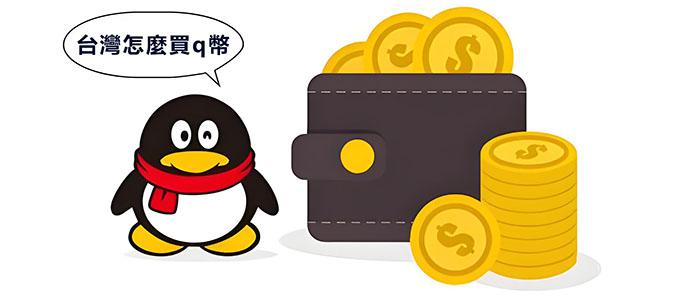
Q Coin It is a virtual currency launched by Tencent.
Q Coin, Abbreviated as "QB" or "qb", also known as QQ Coin Or Tencent Q Coin, Its basic exchange rate is 1 Q Coin Equivalent to 1 Chinese yuan. This virtual currency is mainly used to pay for various services and products under Tencent, including but not limited to QQ Line number QQMember service QQ Props and vouchers in the game. Q Coin It can be obtained through various means, such as purchasing QQ Card, phone stored value, bank card stored value, network stored value, etc. There are various options for face value such as 10 yuan, 15 yuan, 30 yuan, 60 yuan, 100 yuan, 200 yuan, etc. Q Coin Not only can it be used in all Tencent games, but it can also be used in QQ Space purchase, decoration, gifts, music boxes, etc., as well as in QQ Purchase in music Member、 Download songs, etc. In addition, Q Coin It can also be used to purchase Tencent Video Member Services and paid content, red envelopes, emoticons, etc. in WeChat.
Q Coin The advantage lies in its flexibility in cross platform use, not limited by products and services, while enjoying discounted prices, which is more cost-effective than directly using RMB payment. Q Coin It is convenient to store value and transfer gifts, and does not need to bind to third-party payment tools such as bank cards or Alipay, which increases users' loyalty and stickiness, and promotes users' interaction and consumption in Tencent's products and services. Q Coin It is a huge virtual economy system built by Tencent and an important means to achieve diversified income.
- Product TypeOfficial Recharge
- Scope of ApplicationTencent
- Official Websitehttps://pay.qq.com/ipay/index.shtml
- Universal CurrencyQ Coin
What data needs to be provided?
Q Coin The stored value service is Official Recharge, You only need to provide your QQ Number is sufficient, the platform will complete it for you online based on the information you provide Q CoinTop-Up Service, automatically stored value after payment, can achieve instant delivery upon payment.
Q Coin Recharge process:
1. open Q Coin Stored value connection: https://www.idouchong.com/en/qb/ and Click to Buy Button;
2. Select the item to be stored as value Q Coin After determining the face value and quantity, click the 'Buy Now' button;
3. Fill in the required stored value QQ Number and click the submit order button;
4. Select the payment method and click the submit order button again;
5. Complete payment;
6. After the payment is completed, customer service will process the stored value for you based on the information you provide.
How to receive the goods after payment?
After the order is completed, please log in to the APP to check and pay attention to the status before storing the value for easy access to the account;
If you have any questions or uncertainties during the ordering process, please feel free to contact the platform's 24/7 online customer service, who will be dedicated to serving you;
3. For customers who make payments through PayPal and credit cards, if your initial order amount is too large or there is a sudden change in your order behavior, in order to ensure the security of your account, the platform will conduct security verification on your order. We apologize for any inconvenience caused.
Payment method:
1. The recommended platform supports receiving payments in multiple currencies;
2. Support PayPal accounts, various credit cards, and local payment methods for payment.
Website statement:
Please confirm multiple times whether your stored value account and related information are correct. If your stored value account is entered incorrectly but successfully stored, the system will not refund you.